
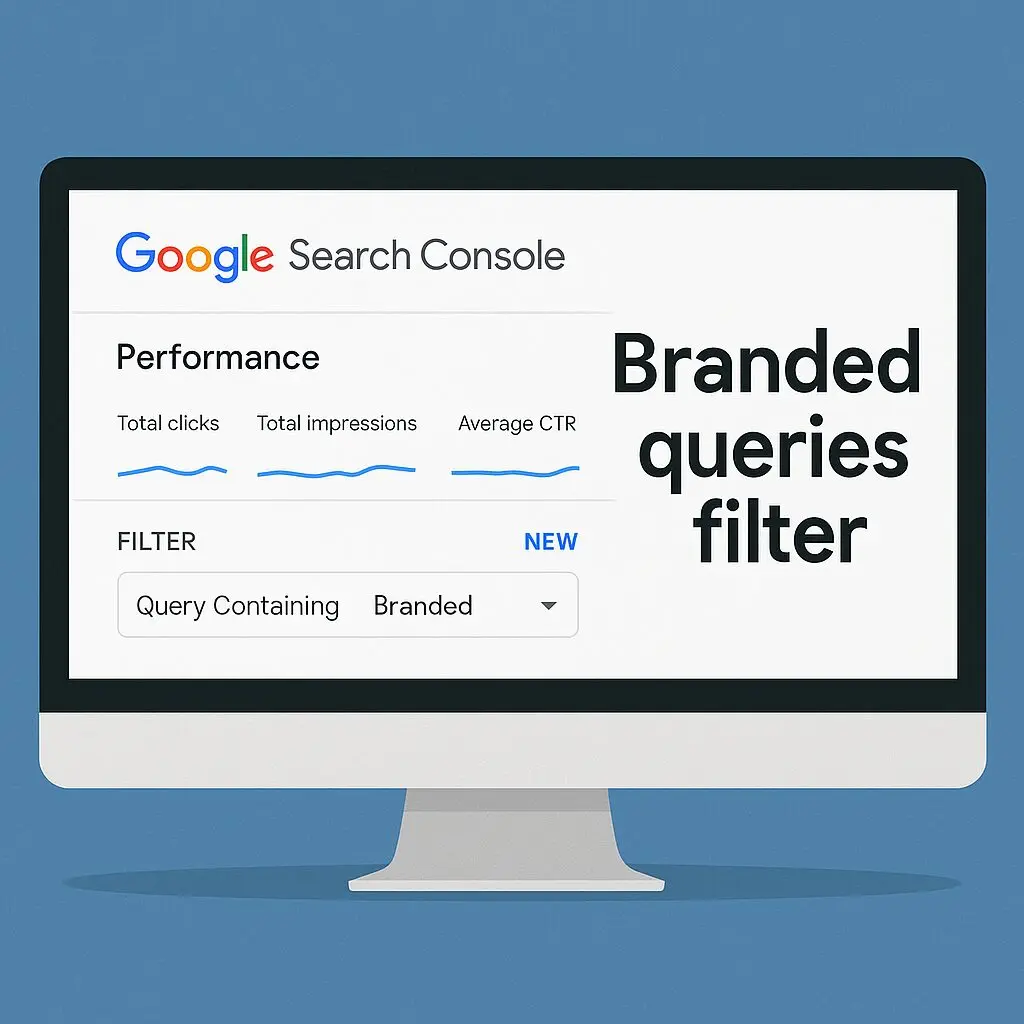

If you’re an SEO professional or agency working in a competitive market like Mumbai, Navi Mumbai or Pan-India, this new update in Google Search Console deserves your attention. On Nov 2025, Google introduced the “Branded queries filter” — a new option in Search Console to help separate brand vs non-brand search traffic. Google for Developers
In this article we’ll cover:
- What this update actually means.
- Why it matters for agency SEO and your content strategy.
- How to use the filter to uncover growth opportunities.
- Tactical steps you (as an agency or your clients) should take now.
- Some internal linking suggestions to other blogs you should read.
1. What is the Branded Queries Filter?
In short, Google Search Console now allows you to filter your performance data for queries that contain your brand name or brand‐variants (branded) vs those that do not (non-branded). This means you can more easily isolate how much of your organic traffic is coming from people explicitly searching for your brand (eg. “Wireframes Digital SEO agency Mumbai”) versus generic keywords (eg. “SEO agency in Mumbai”). Google for Developers
Why this is a big deal
– Historically, many agencies see a large chunk of clicks from brand searches (people already know your name) but less from generic intent keywords. With this filter you can quantify that.
– It helps you assess how much of your brand equity you’re leveraging vs how much you need to build out your non-brand traffic.
– It gives actionable insight for your SEO strategy-planning: e.g., “We rank high for brand keyword but low for generic – we need more non-brand content/backlinks”.
2. Why this matters for agencies (and your clients)
For your own brand (Wireframes Digital)
Since you’re working to dominate keywords like “SEO agency in Mumbai”, “digital marketing company in Navi Mumbai”, “SEO agency Pan-India”, you want to ensure you’re not just relying on brand traffic. This update lets you see where your non-brand keywords are under-performing.
For your clients
When you provide SEO services, you can now show clients clearly: “Here’s how much of your traffic is brand vs generic – and this is what we’ll focus on to drive non-brand growth.” That becomes a powerful metric for reporting and demonstration of value.
For strategic decision-making
Going forward, you might ask:
- Should we create more content targeting generic keywords?
- Should we build more backlinks and authority for those non-brand queries?
- How much of our budget/effort should be spent increasing brand awareness vs targeting generic traffic?
3. How to use the Branded Queries Filter – Step by Step
Here’s a practical workflow you can start right now.
Step A – Access the Filter
In Search Console → Performance → Queries → Add Filter → “Query contains” your brand name (and variations). Then compare with “Query does not contain”. This gives two views: branded vs non-branded.
Step B – Analyse High Level Metrics
Look at: Clicks, Impressions, CTR, Average Position — separately for brand & non-brand. If your brand traffic is strong but non-brand is weak, that flags a growth area.
Step C – Drill Down by Page
Use the “Pages” tab to see which landing pages are getting branded vs non-branded queries. You might find e.g., homepage gets a lot of brand, but your service pages get very little non-brand traffic.
Step D – Identify Opportunity Gaps
For non-brand queries:
- Which queries you rank for at positions 11-30?
- Can you create new content to target these?
- Are there impressions but low CTR (title/meta needs optimization)?
For brand queries: - Is the CTR already very high? If so, you may have less incremental lift without targeting non-brand.
Step E – Tactical Actions Based on Results
- If non-brand traffic is low: focus content creation (targeting generic keywords), backlink build, internal linking.
- If brand traffic is high but generic traffic has plateaued: might need to invest more in building authority/backlinks for generic keywords.
- Use the insights to show clients their “brand vs generic” status — this can become a KPI.
4. Tactical Checklist for Agencies & Marketers
Here are the key actions I recommend (and we at Wireframes Digital use) when adjusting strategy post this update:
| Action | Why | Timeline |
|---|---|---|
| Set up branded vs non-branded filter view for all clients | Helps you baseline current state | Immediate |
| Create a “brand traffic” and “non-brand traffic” KPI for monthly reports | Ensures transparency and alignment | Monthly |
| Audit service landing pages: check how many non-brand queries each page gets | Many pages may only attract branded traffic | 1 week |
| Identify content gaps for non-brand queries (position 11-30) | These are quick win opportunities | 2-4 weeks |
| Optimize titles/meta for pages that get non-brand impressions but low CTR | Improving CTR can drive more clicks without changing ranking | 2 weeks |
| Build backlinks and authority for non-brand keywords (guest posts, local citations, PR) | Brand queries often come naturally; non-brand require building trust | Ongoing |
| Internally link from high-authority pages (blog) to service pages that target non-brand keywords | Helps distribute authority and support generic keyword rankings | Ongoing |
| Monitor the branded vs non-brand split over time | See how your efforts shift the balance | Monthly |
5. Internal Links to Check Out
In this article we reference brand vs non-brand traffic concept and how it ties into broader SEO strategy. I suggest linking internally to:
- Your Friendly Guide To Doing Your Own SEO (Even If You’re a Total Beginner) — covers foundational SEO. wireframesdigital.com
- Finding Keywords That Actually Matter: A Step-by-Step Guide — ties into non-brand keyword strategy. wireframesdigital.com
- Backlinks 101: 10 Insider Tips to Boost Your SEO Fast — supports authority building for non-brand keywords. wireframesdigital.com
Adding these links strengthens your internal linking structure and signals topical relevance to Google.
6. Final Thoughts
The introduction of the branded‐queries filter is a meaningful step in the evolution of Search Console. It gives SEOs and digital marketers a clearer lens on how much of their traffic is due to brand awareness vs how much comes from generic search intent.
For agencies especially, it offers a new metric to benchmark, optimise and report. As you push for growth in competitive markets like Mumbai, Navi Mumbai or even Pan-India, leaning into non-brand growth becomes essential.
If your brand traffic is already strong, great — but don’t become complacent. The next frontier is about scaling your non-brand organic reach. Use this new filter, apply the tactics above and you’ll be well placed to move the needle.